
Setup guide
How to Activate eSIM on Android?
Having trouble activating an eSIM on your Android device? This guide walks you through exactly how to install and activate an eSIM on your Android phone — quickly and easily.
Updated October 2026

Choose an eSIM Plan First
▶️ Watch: How to Activate eSIM on Android
Want a quick visual walkthrough? Watch our full video guide:
How to Activate Your eSIM on Android:
- 1
Go to Settings, then tap "Connections".
- 2
Tap on "SIM Manager".
- 3
Select the option to Add eSIM.
- 4
Scan the QR code from the email you received — or enter the details manually — and activate the eSIM.
- 5
Label the new eSIM as "Travel" so you recognise it easily.
- 6
Keep "Cellular Data Switching" turned off to avoid roaming fees.
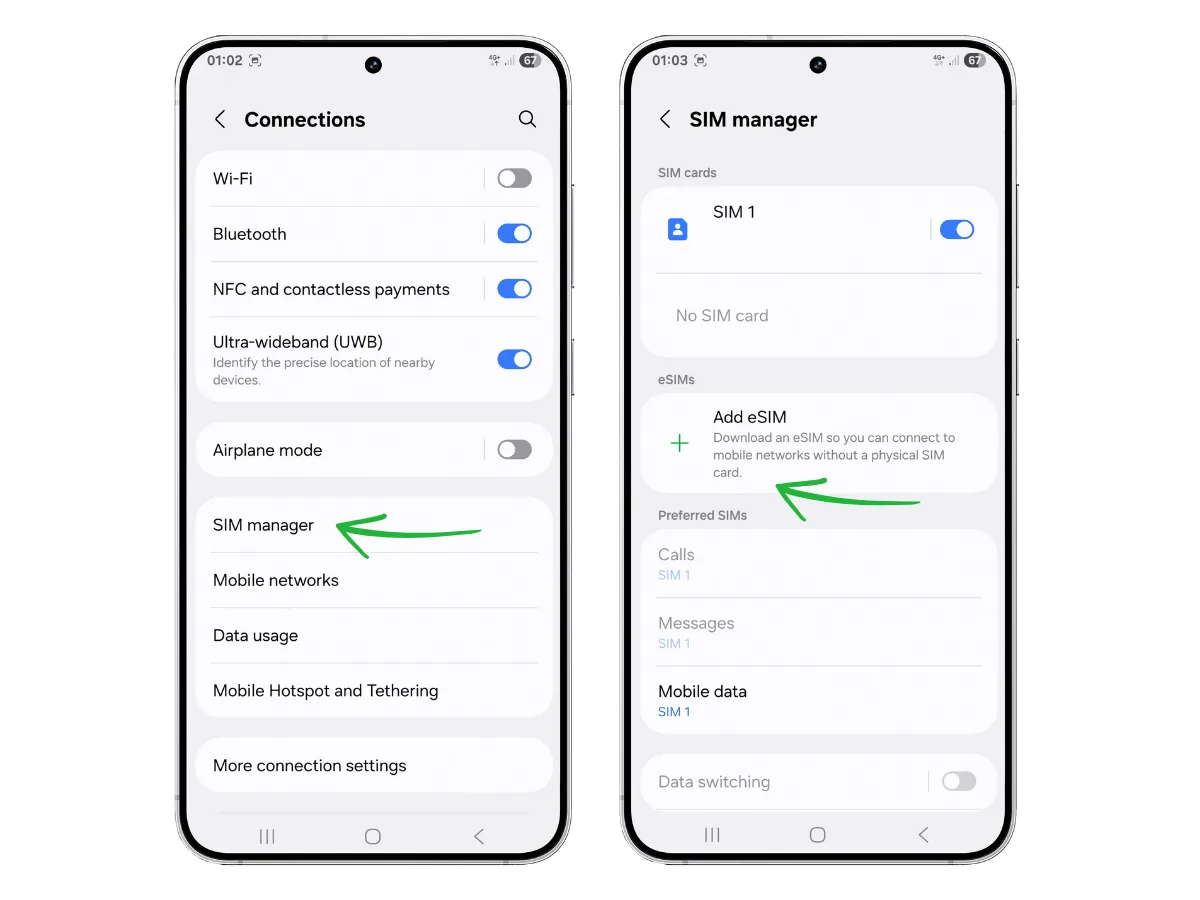
Once you arrive at your destination:
- 7
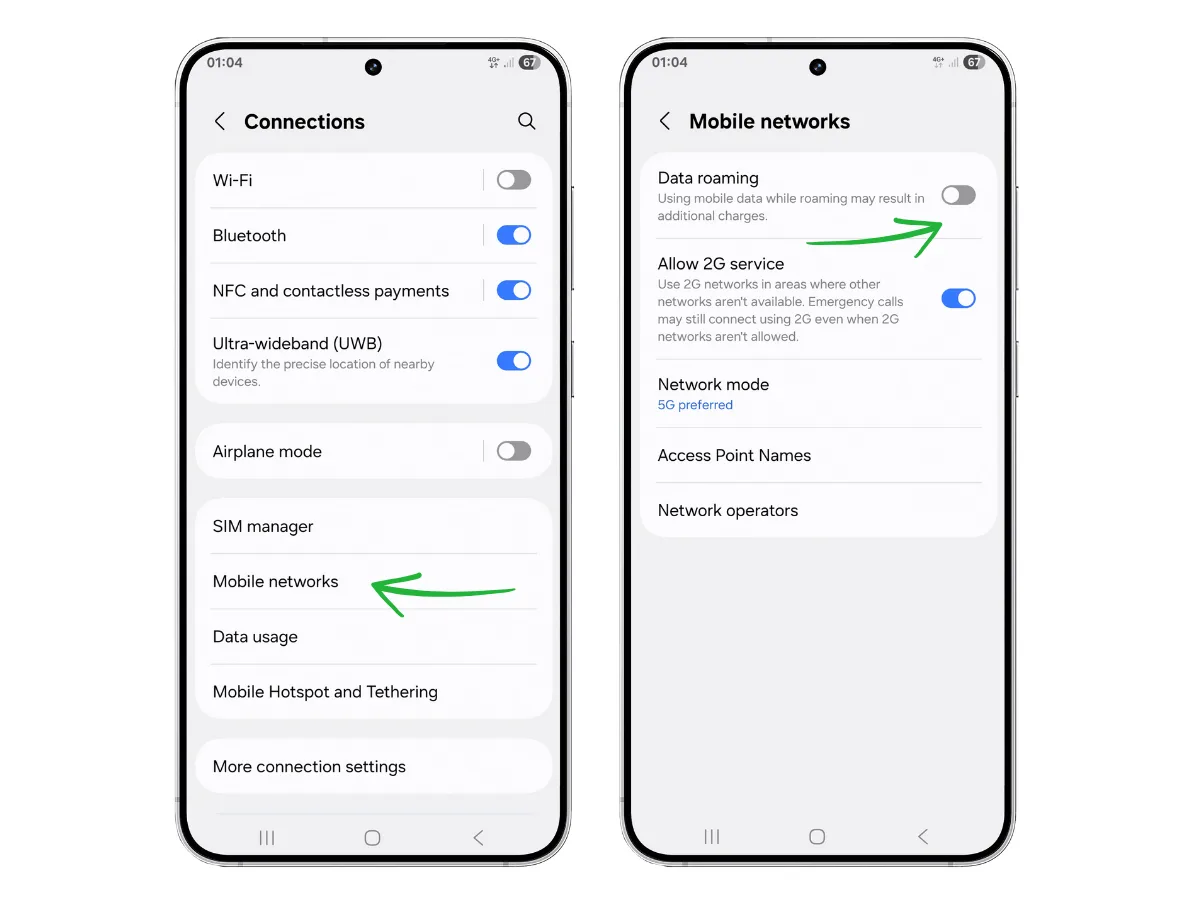
Change the preferred SIM for Mobile Data to your newly added "Travel" eSIM.
- 8
Go back to "Connections", enter "Mobile Networks" and turn on "Data Roaming" to connect to the network.
- 9
Turn your Wi-Fi off to verify the eSIM works as expected.
Share this eSIM Android guide with your travel group or family, so everyone stays connected and gets the best prices while exploring the globe! 🌍📶

About the Author
Tomer Gips, Digital Nomad & eSIM Reviewer
I'm a digital marketer who travels full-time and tests eSIMs in every country I visit. Every review is based on personal speed testing, verified Trustpilot data, Reddit conversations, and real-world feedback from travelers. I don't accept sponsored content or affiliate bias — just unfiltered, practical reviews for people like you.